
Someone has to be awake at 3 a.m.
Equinox is the Discord bot that is. It deletes scam links, stops raids as they arrive and stops a stolen staff account before it empties your server. Then it does the work of the other bots you run.
Add to Discord Watch the trailer
Equinox is in alpha: it works today, and some things may still change or break. When something does, tell us in the support server.
Equinox on film: a trailer of 88 seconds, and one night step by step

Music in the trailer: “Omega” by Scott Buckley (www.scottbuckley.com.au), edited, released under CC BY 4.0 (creativecommons.org/licenses/by/4.0).
Read what both show
The trailer
- One letter. Two links that look the same, and the one with a letter from another alphabet. Equinox reads the characters, not the look.
- A night of attacks, each caught. A hacked account posts the same scam in three channels, a file hides what it is, a code would sign people in, forty-one accounts join in a minute, three of them made minutes apart, a picture matches one caught in another server, and an invite nobody was given is used.
- The inside job, and the morning. An Administrator grant is undone at once, a moderator acts out of character, five bans in ten seconds are caught, the roles that can ban are held by nobody, and what a nuke deleted is put back from a backup. By morning it is one page: a big ban waits for a second person, the setup is scored out of 100, and the security ledger checks out.
- Then daylight. Welcome and rank cards, tickets, applications, analytics, the new member funnel, a switch for every feature, your own theme and eleven languages. All of this works without Premium, which adds a threat profile of any member, /catchup, and an image and a banner of your own. The AI suggests; people decide.
One night, step by step
- 2:14 a.m. A member’s account is hacked and posts the same fake gift link in three channels. Equinox deletes it everywhere, removes the account so it can’t post more, messages its owner the steps to get it back, and alerts staff.
- 3:40 a.m. Forty-one accounts join in a minute, most of them made that day. Equinox pauses invites, times out the raid’s accounts and shows staff which invite they came through.
- 4:05 a.m. A moderator’s login is stolen and starts banning members. After five bans in ten seconds, Staff protection takes the account’s roles away, as this server set it to, and alerts the rest of the team.
- 6:12 a.m. The owner wakes up to one page that lists all three, with what was done and why.
What it stops
Every member carries a risk score you can read: 67 kinds of signal, each one explained. Rules do the work. AI is asked only when the rules can’t decide.
- A hacked account posts a scam
- Equinox deletes the scam in every channel it reached and removes the account so it can’t post more. The owner is messaged the steps to get the account back, and staff get one alert with two buttons: Ban, or Mark handled. Watch it happen
- A scam link nobody has reported yet
- Scam Shield reads a link for what it is: a letter swapped (dlscord), a look-alike
character from another alphabet, a real name tucked in front of someone else’s site.
Behind it are millions of reported scam sites and known malware, checked on every
message.
Try four links yourself
dlscord-gift.com/claim
Right.Not this time. A scam: a lowercase L stands where the i belongs. It reads dlscord, not discord.
discord.com/nitro
Right.Not this time. Safe: this is Discord’s own site. A link isn’t a scam for mentioning Nitro.
discord.com.nitro-claim.net/gift
Right.Not this time. A scam: the site is nitro-claim.net. The real name is only tucked in front of it.
dіscord.com/nitro
Right.Not this time. A scam: the i is a letter from another alphabet that looks the same. No eye can tell it from the link two above. Equinox reads the characters, not the look.
Right so far: of 4
- A raid
- Joins are watched for bursts, waves of brand-new accounts and accounts that share a name or a picture. Equinox can pause invites and time out the raid’s accounts, and it shows staff which invite the raid came through and who made it. Watch it happen
- A staff account turns on the server
- Staff protection catches an account that starts mass-banning or deleting channels: it alerts the team, and can time the account out, take its roles away, kick or ban it. A big kick or ban from the dashboard waits for a second person. Staff Watch learns what each staff member normally does and speaks up when an account acts out of character. Watch it happen
- Someone hands out dangerous permissions
- Permission Guard undoes the change at once and asks a second person to approve it. The roles that can ban or delete can be held by nobody day to day, and requested for minutes at a time with a reason.
- A setup mistake nobody noticed
- The Check-up scores your server’s own Discord setup out of 100 and lists every problem, worst first, with its fix: who can do what, which roles can climb, what @everyone was given by accident.
- The worst happens anyway
- Roles, channels and permissions are backed up every 3 to 24 hours. After a nuke, the rebuild can start by itself.
And when the sun is up, it runs the rest of your server
Most of it starts switched off. You turn on what your server needs, and each feature has a page of its own for its settings.
Moderation
- Bans, kicks and timeouts that follow Discord’s own rank rules, and bans by ID for people who never joined.
- Auto-Mod for caps, mentions, links, repeated text and more, with strikes that build to timeouts.
- Cases that keep every action, its reason and who took it.
- Server log of deleted and edited messages, joins, role changes and settings.
- Slowmode that adjusts itself when a channel gets too fast.
Support
- Tickets from panels, as channels or private threads, with a staff-only thread inside if you want one.
- ModMail for members who would rather message the bot.
- Applications you build yourself, reviewed in a channel, a forum, a private thread or a ticket.
- Transcripts of every closed ticket, searchable, with the pictures kept.
- Vouches, forms and suggestions with votes.
Community
- Levels for messages and voice, with picture rank cards and reward roles.
- An economy with your own currency, a shop and daily streaks.
- Welcome messages, role buttons, giveaways, a starboard and birthdays.
- Temporary voice channels, counting, confessions and polls.
- Custom commands you write on the dashboard, and feeds from YouTube, RSS and Bluesky.
Numbers
- Analytics of messages, voice time, busiest hours and who brought whom.
- New member funnel: how many verify, talk on day one and stay a week.
- Weekly insights for staff, compared with the week before.
- Staff workload: tickets, applications and vouches each person handled.
Every feature has its own switch
Turn one off and its commands leave your server’s list, so members only see what you use. Try it.
Your server’s command list
- Levels
/rank/levels/rankcard/xp - Economy
/balance/daily/work/pay/richest/shop/buy/inventory/coins - Giveaways
/giveaway start/giveaway end/giveaway reroll/giveaway list - Suggestions
/suggest - ModMail
/modmail open/modmail close/modmail block/modmail unblock - Cases & Warnings
/warn/pardon/case/modlogs/reason/note/tempban/softban/lockdown/unlock/slowmode/temprole - Safety Tools for Members
/checklink/isstaff - Fun Commands
/coinflip/roll/8ball/rps/ship/slap - Nothing from these eight. Flip one on.
Commands from these switches:
/ban, /kick, /timeout, /purge, /help and /privacy have no switch: every server has them.
Set up on a page, not from memory
Everything Equinox does is set on a web dashboard that starts simple and shows the rest when you ask for it. No list of commands to learn first.
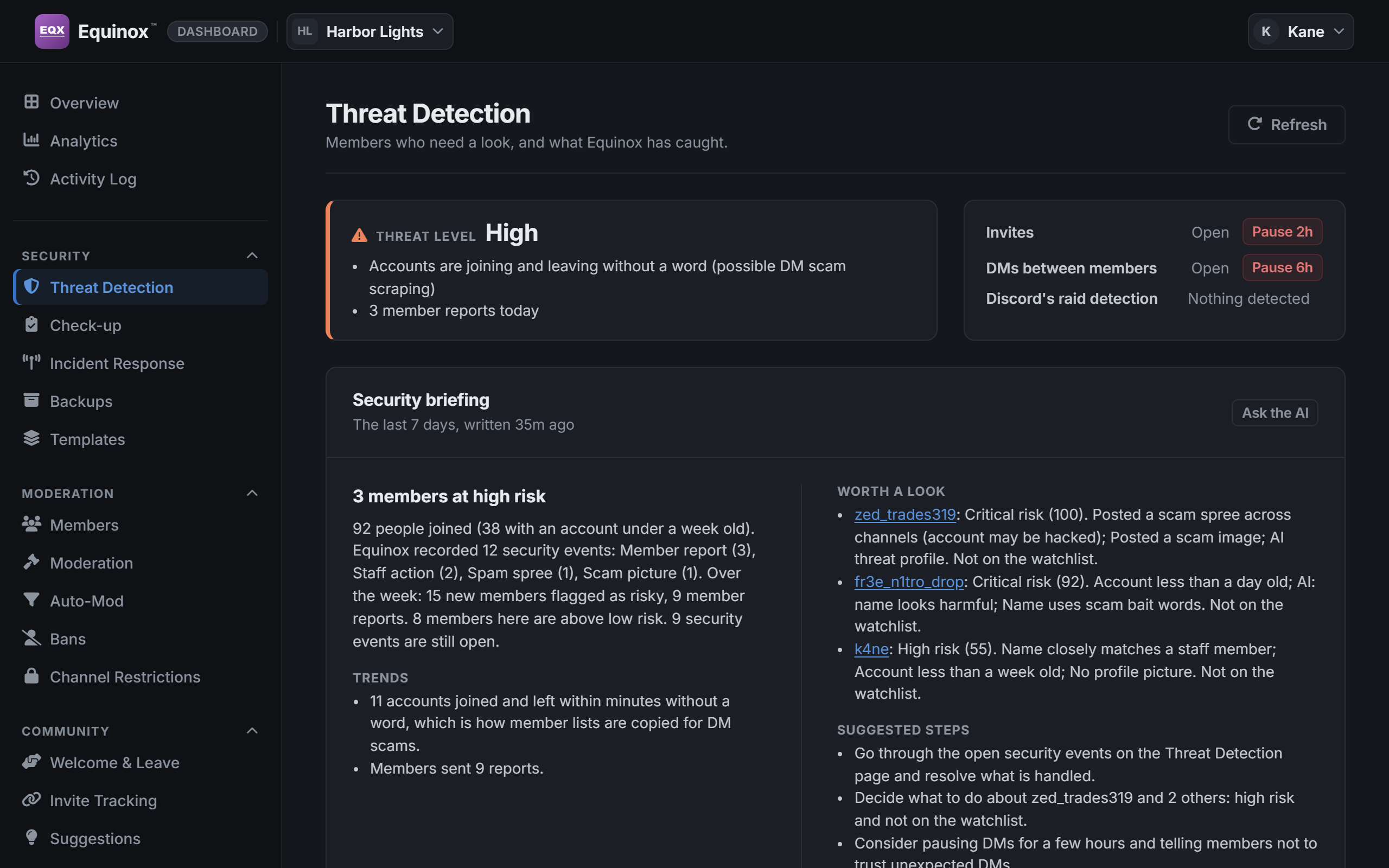
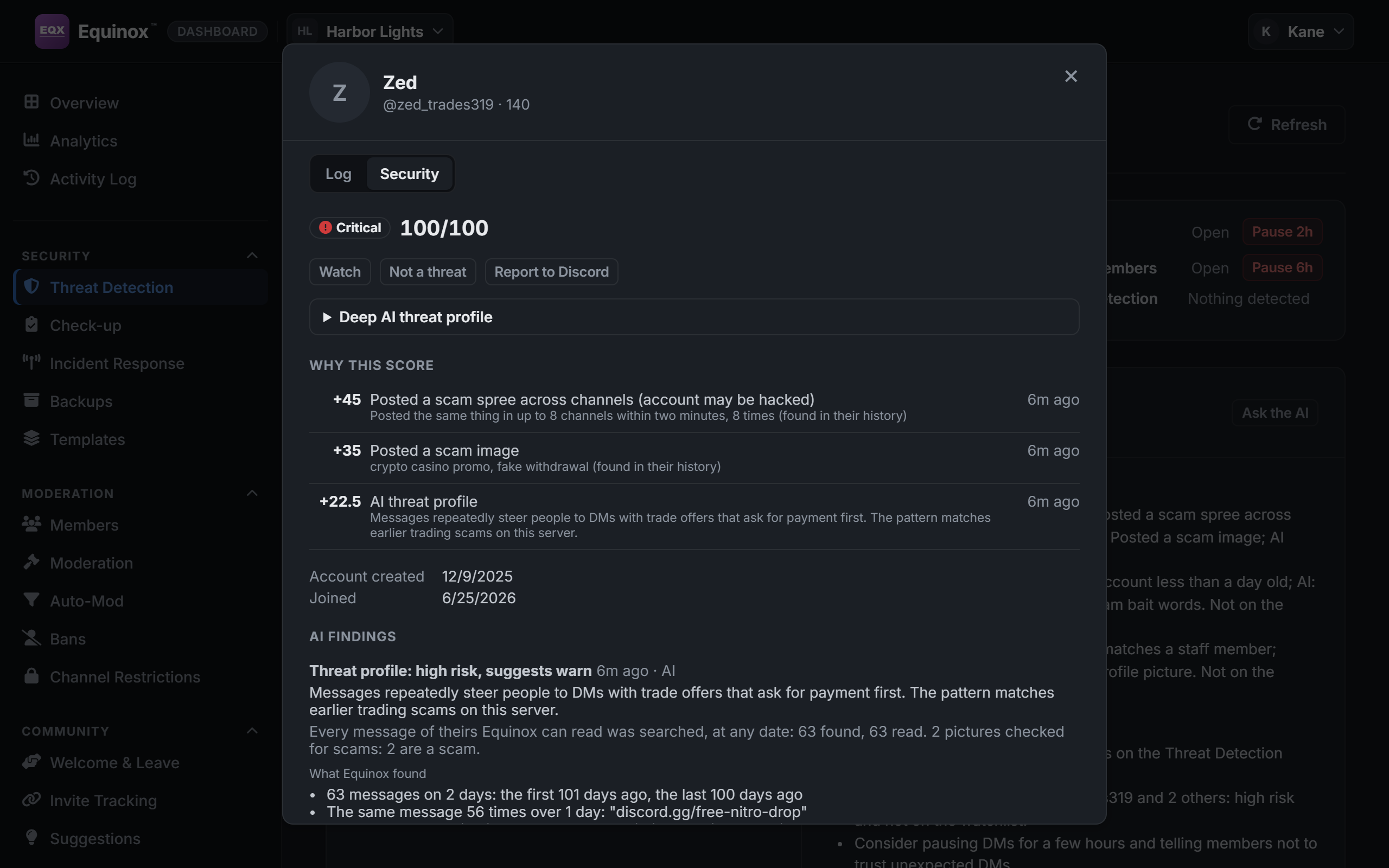
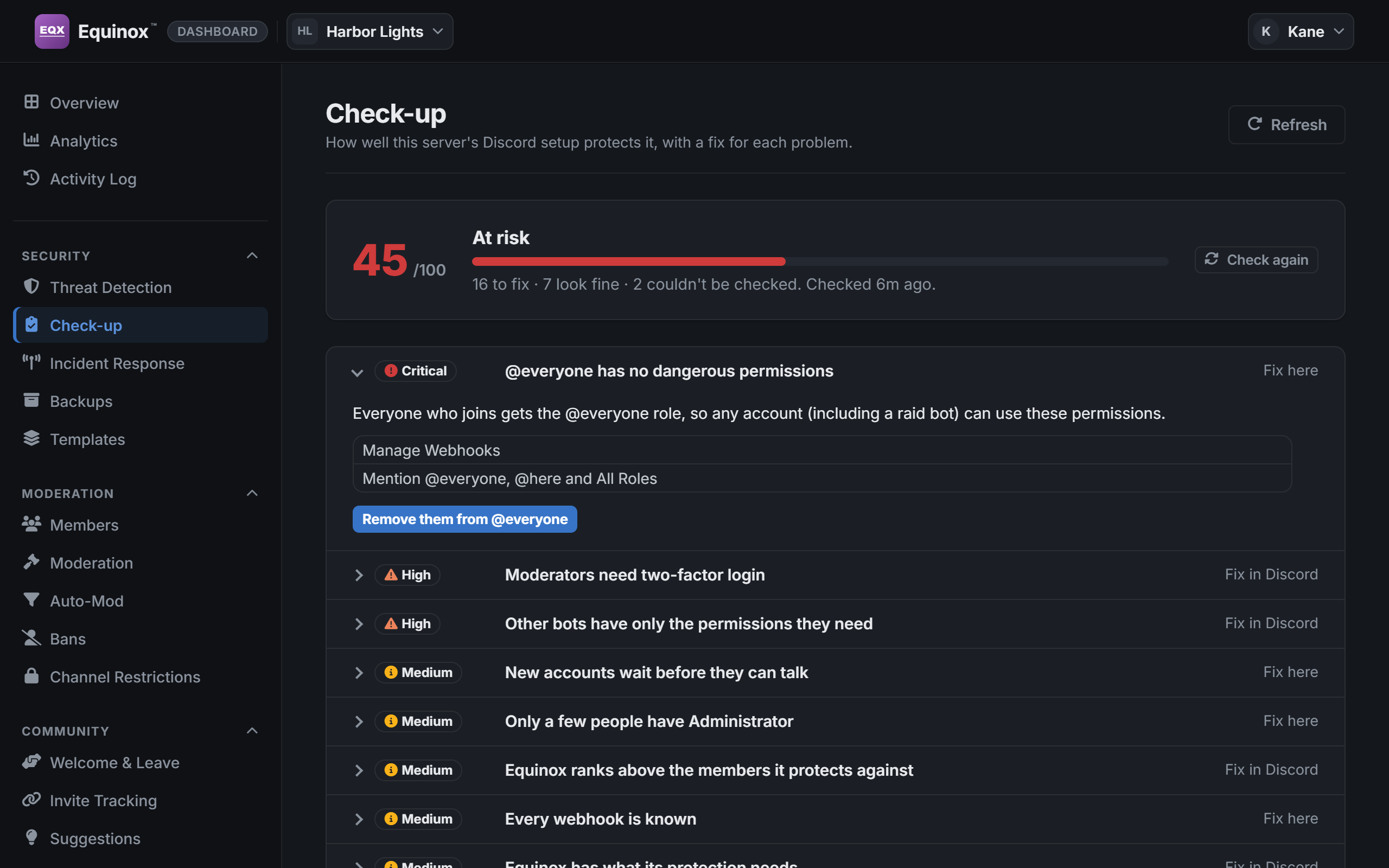
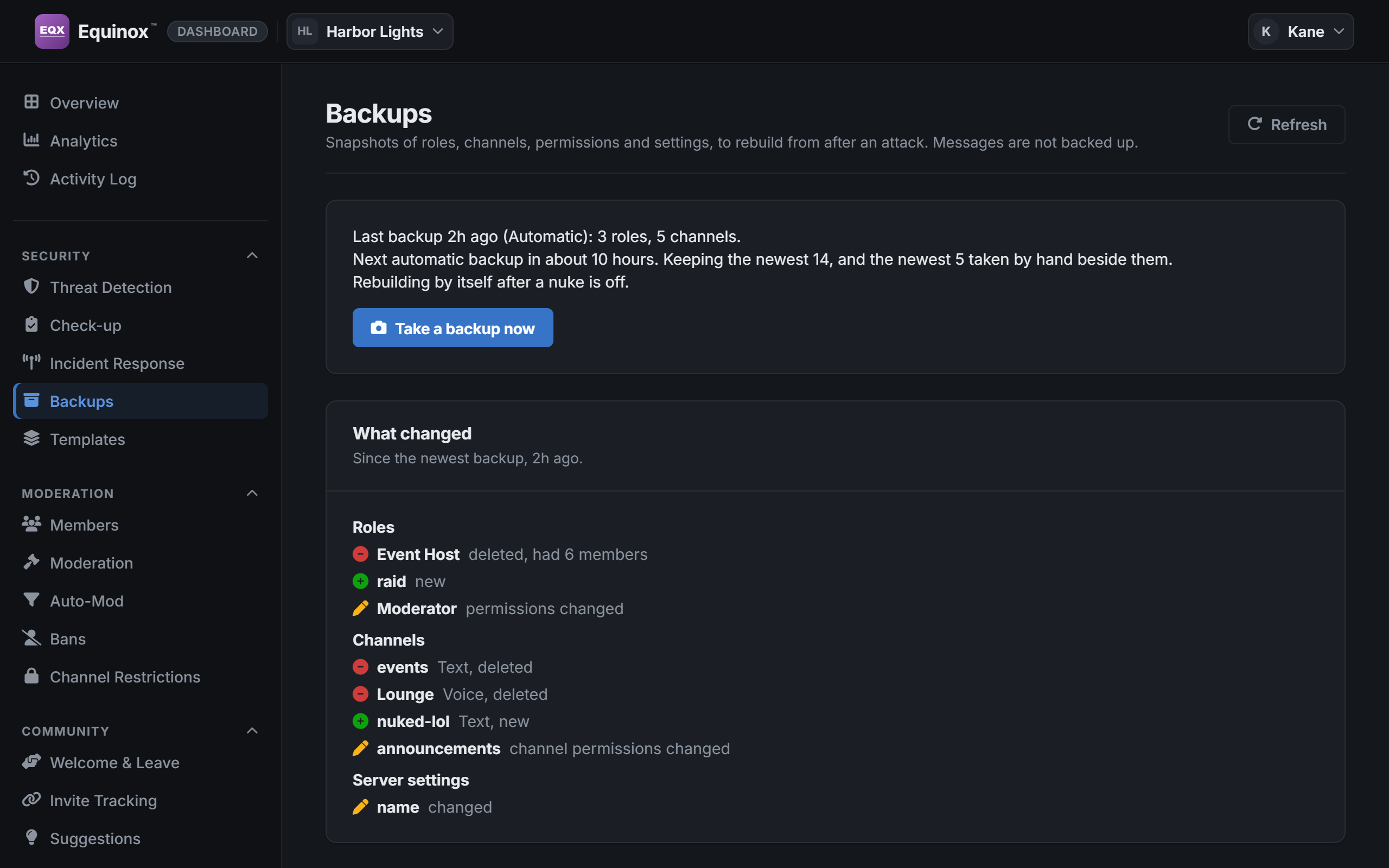
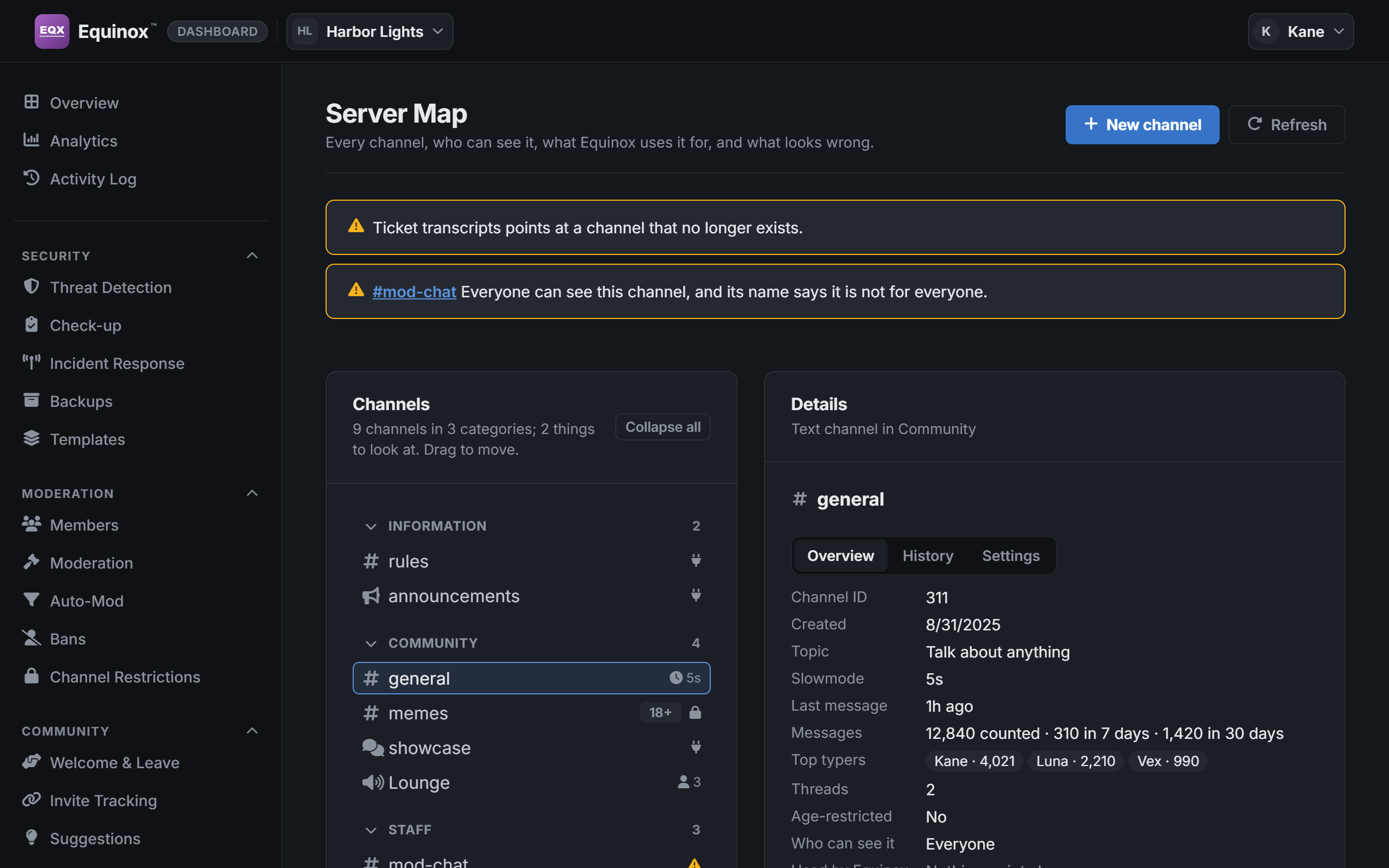
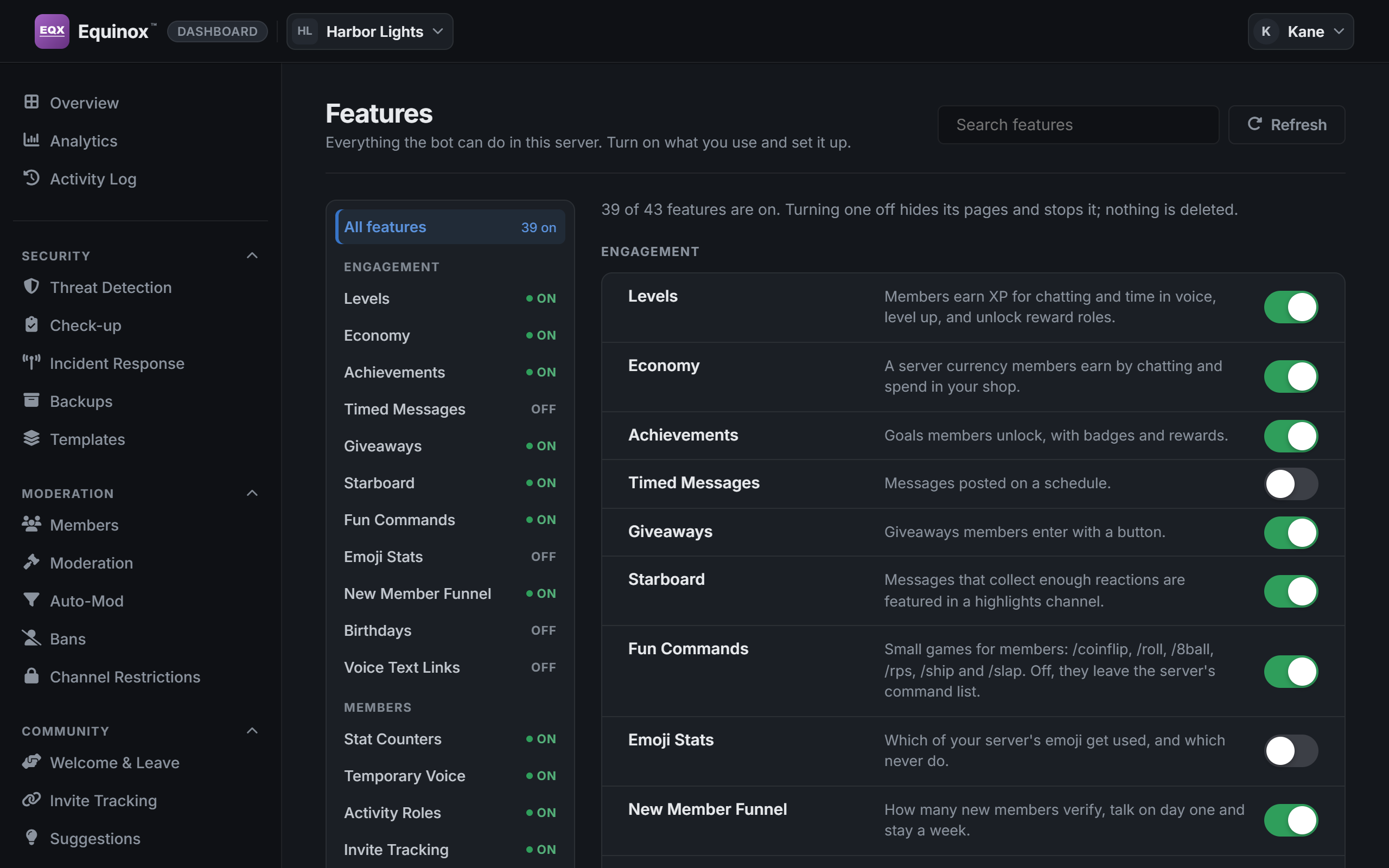
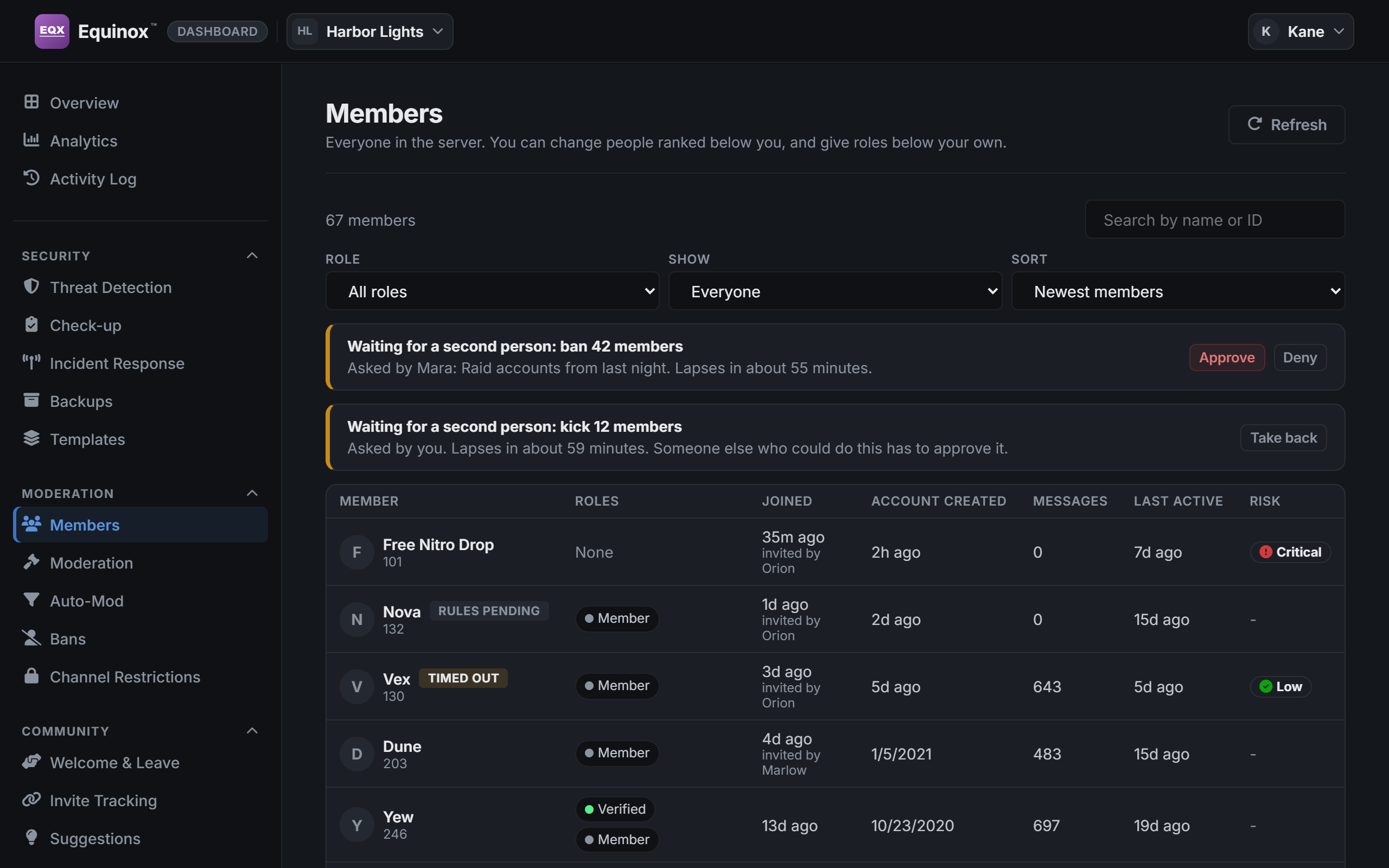
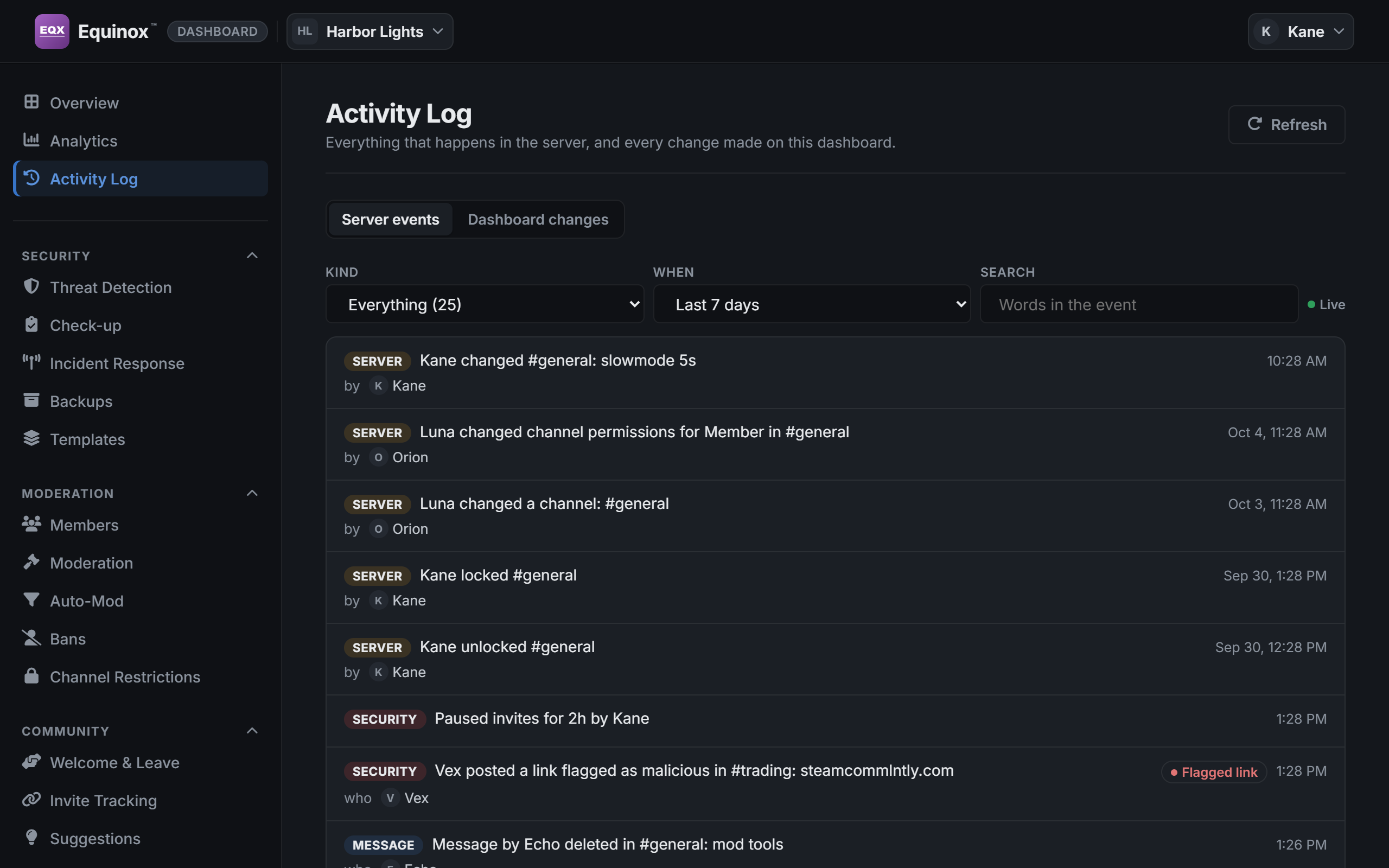
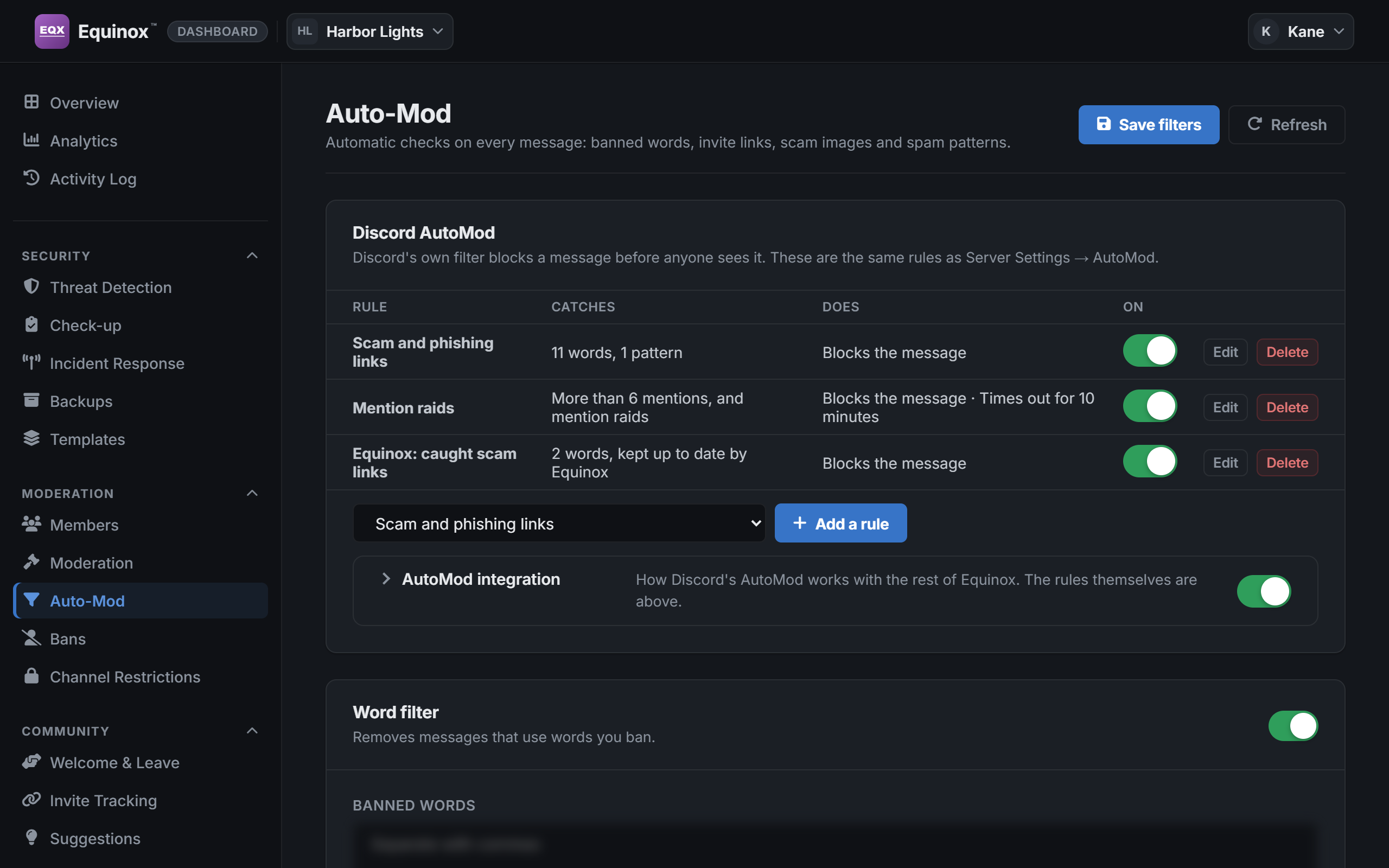
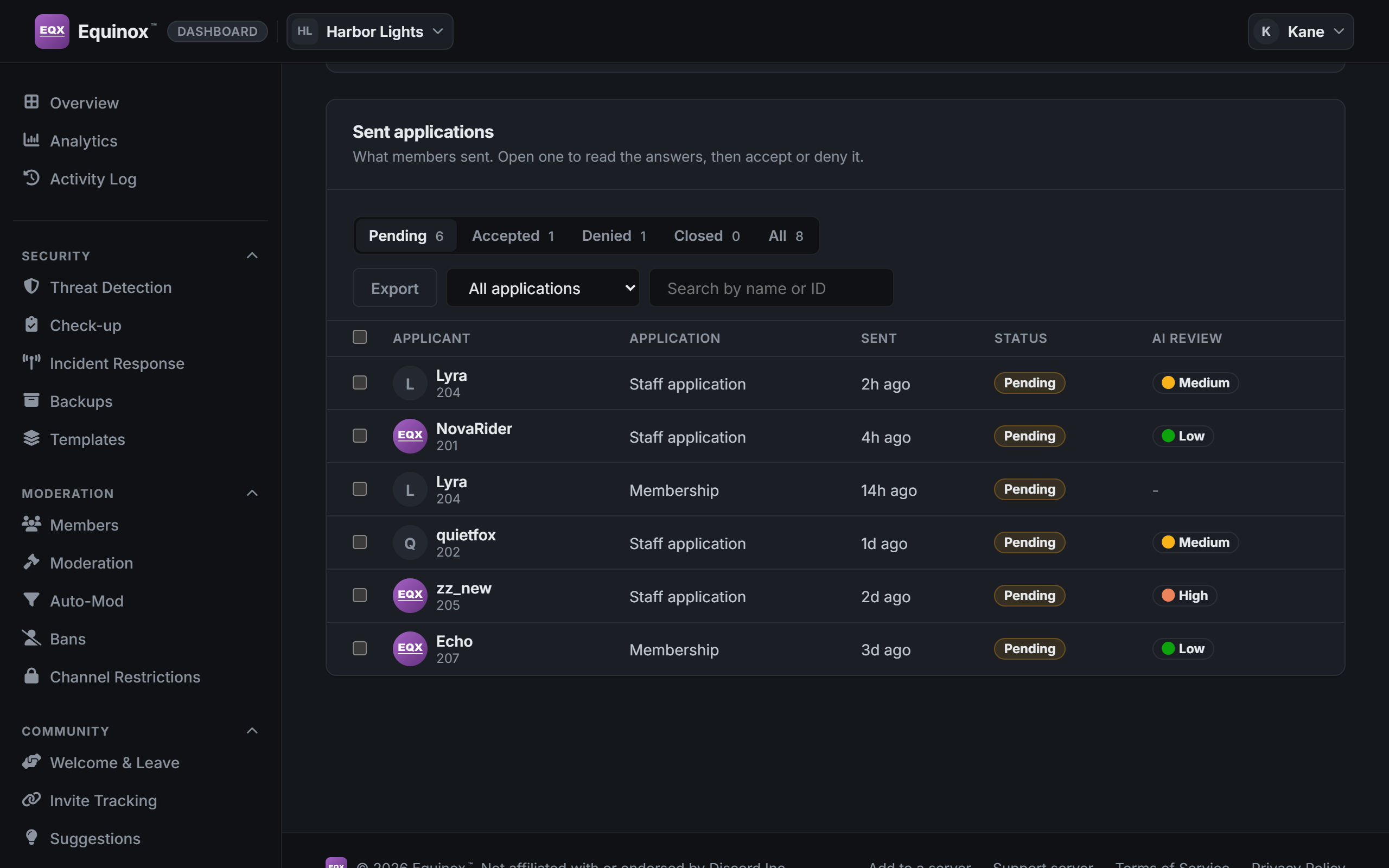
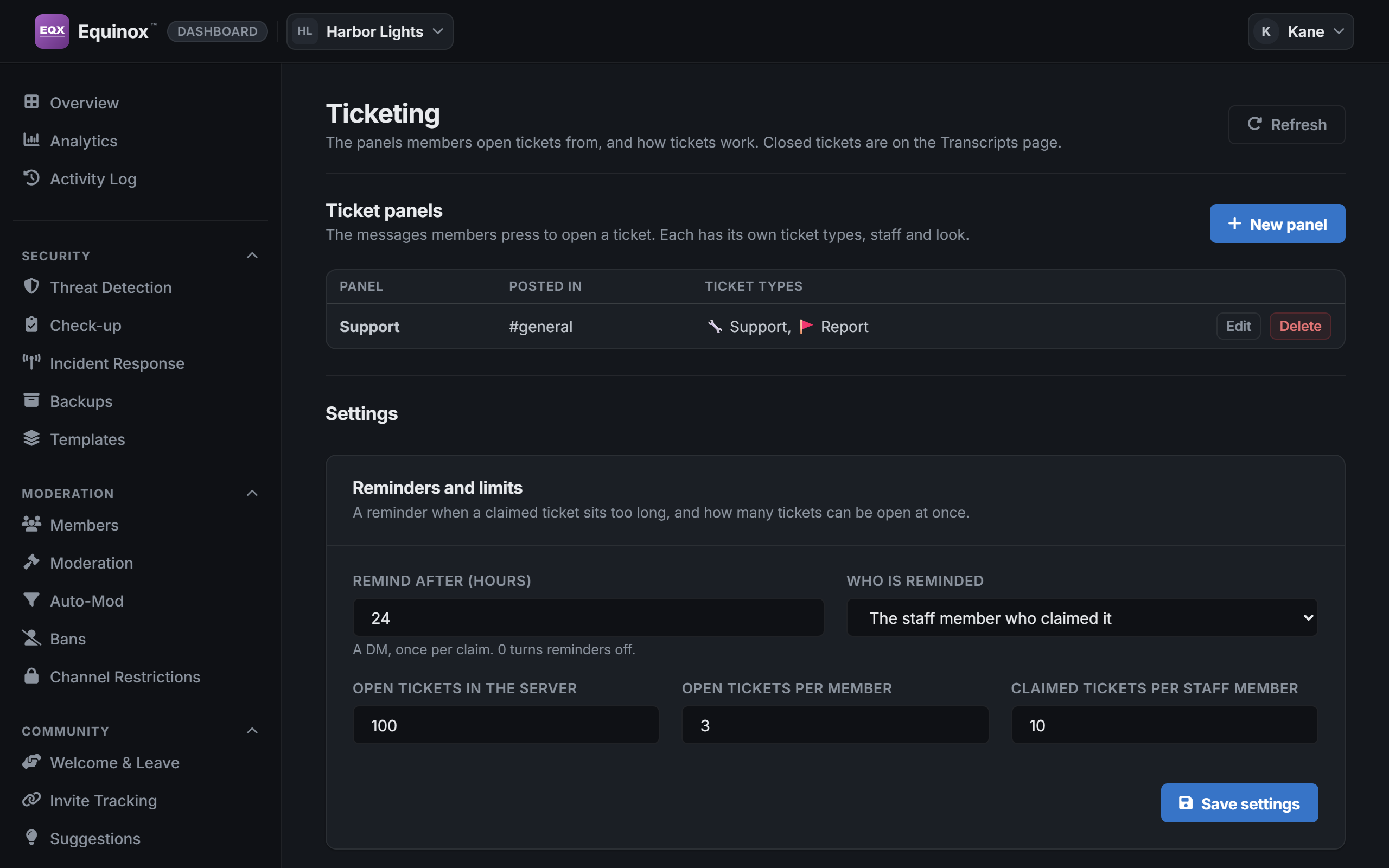
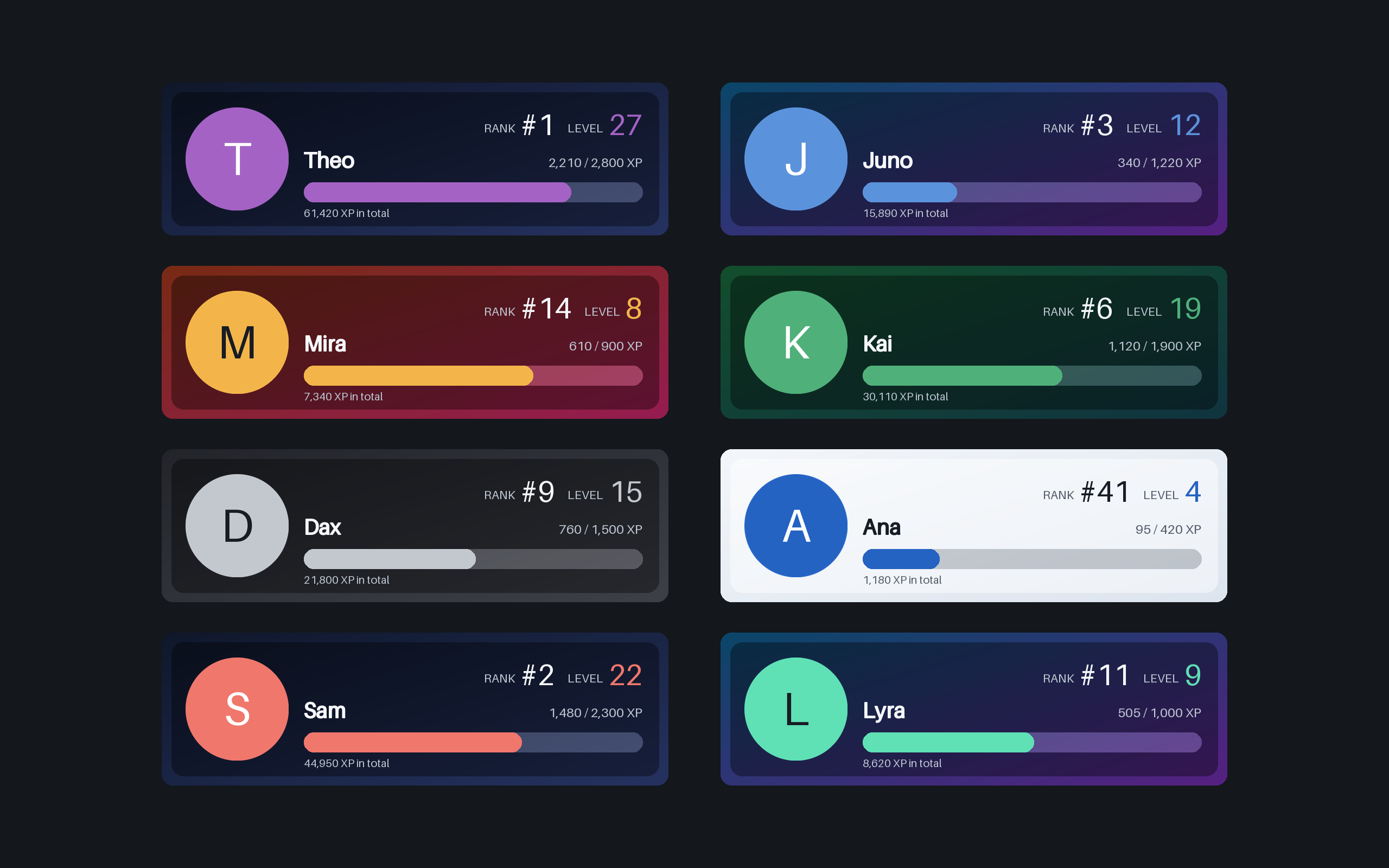
/rank: six styles, in a color you choose.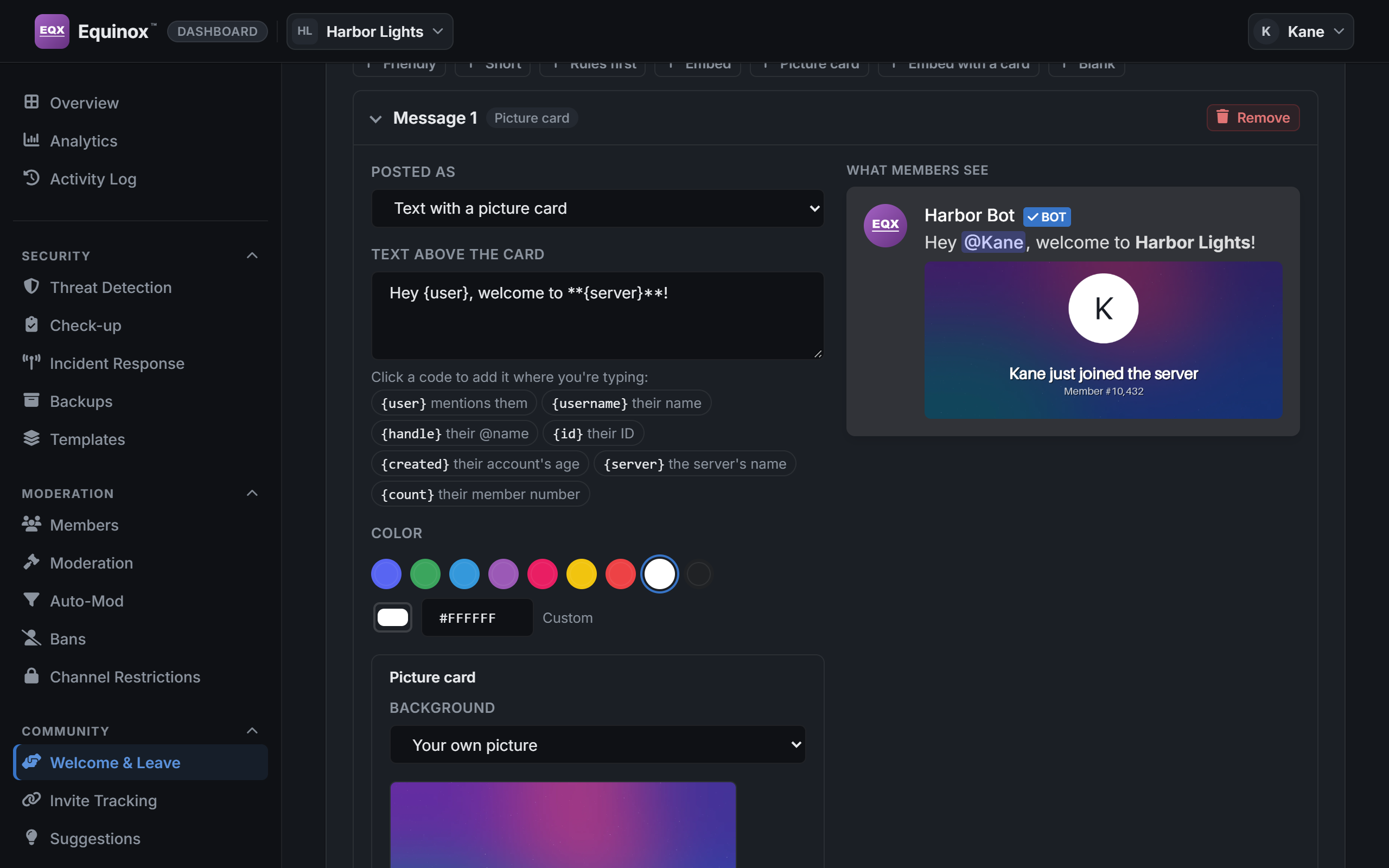
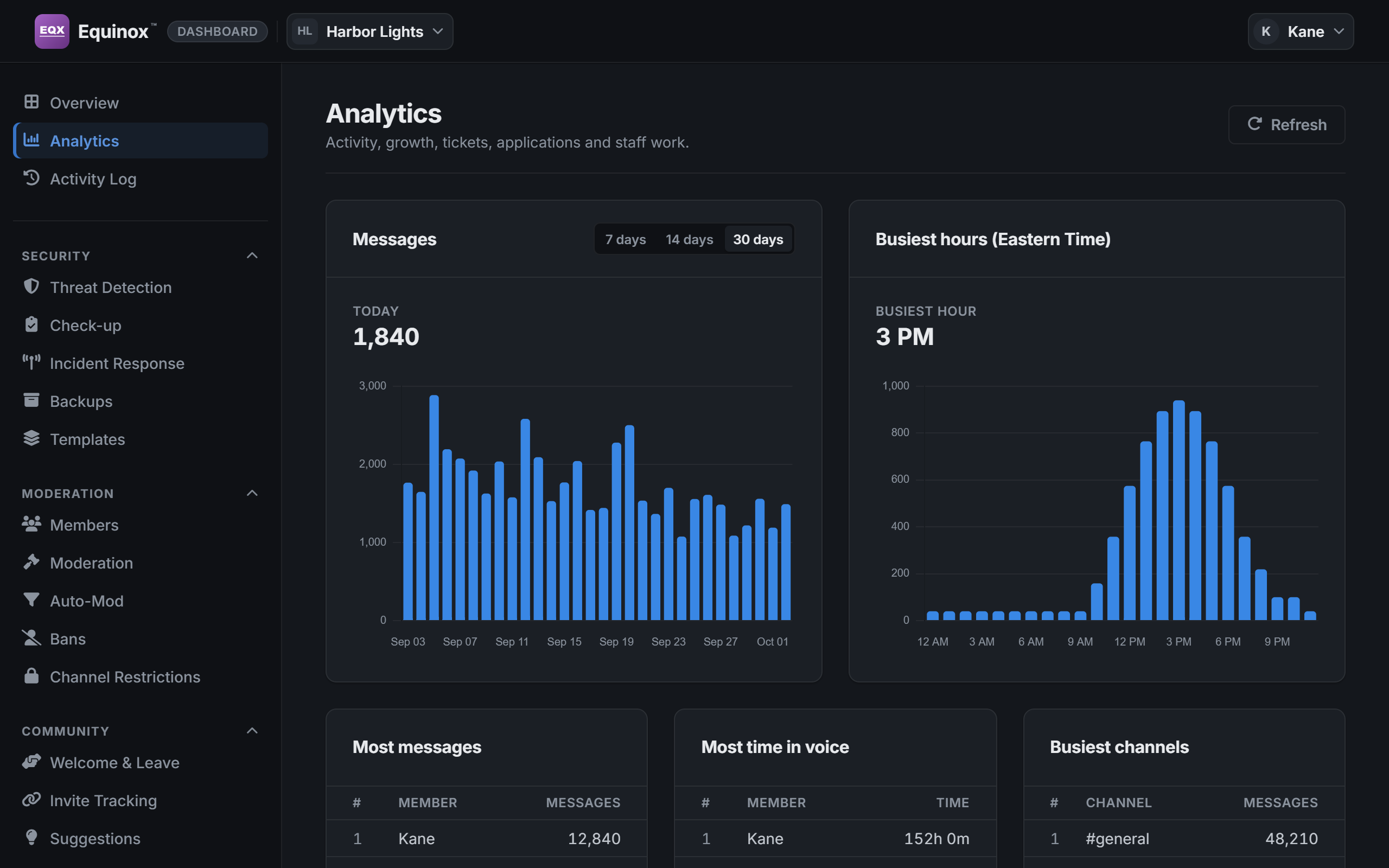
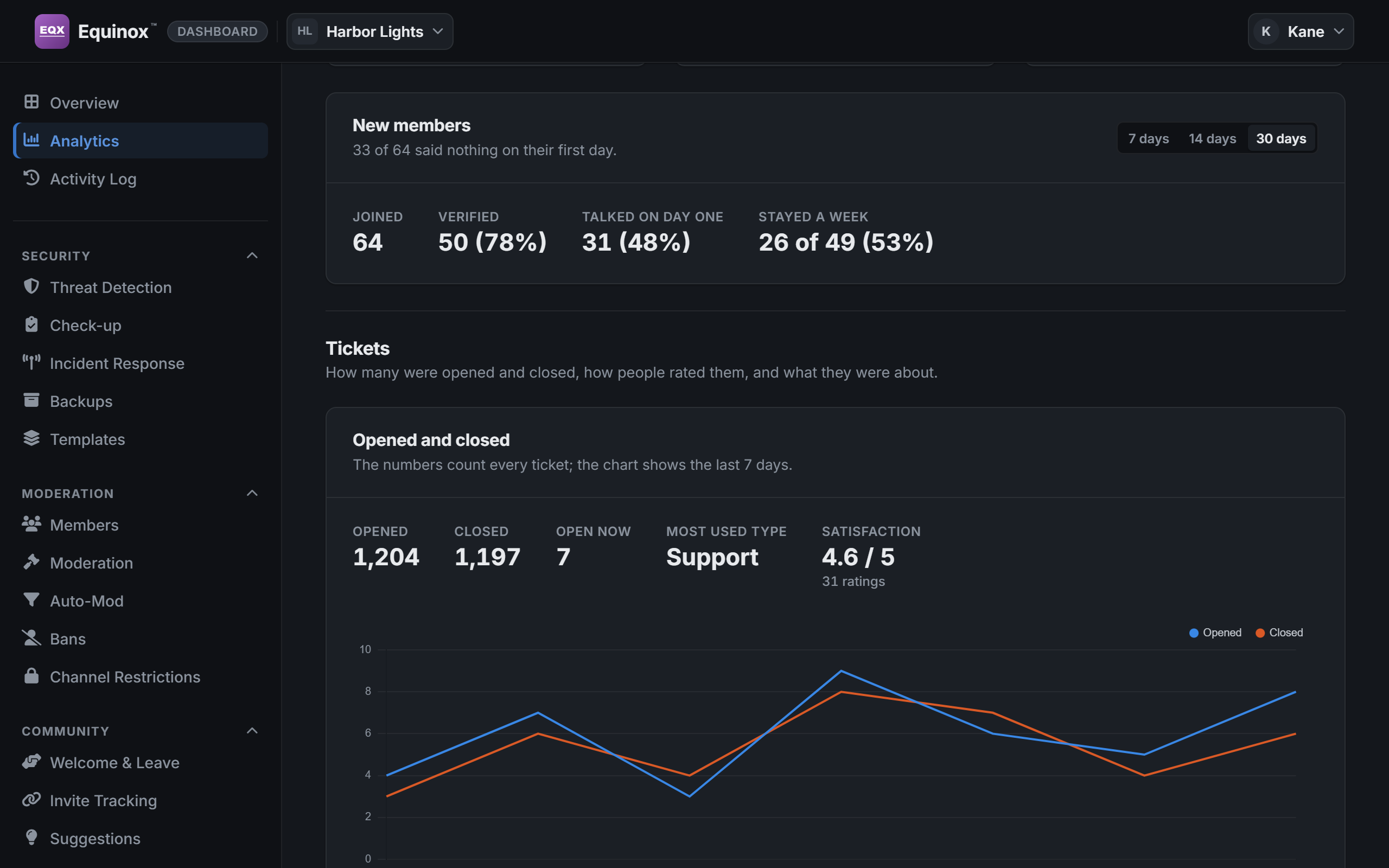
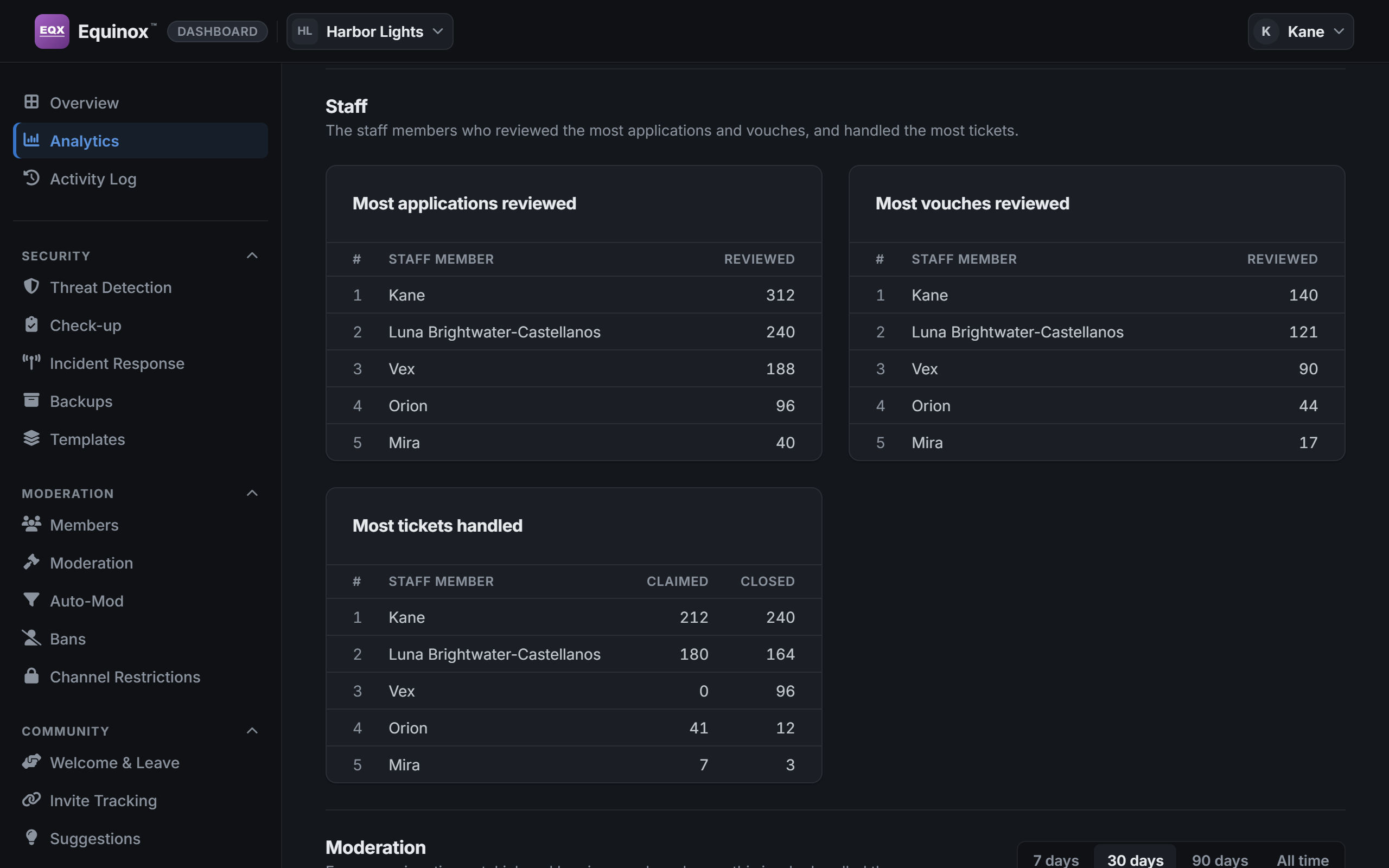
The real dashboard and the bot’s own pictures, with sample data.
- Access by role. Each role can see, act on or set up each page, and nothing more.
- Every staff action is logged with who took it and when.
- A second lock for staff. A server can ask for a code from an authenticator app, on the dashboard and before staff commands.
- Readable by everyone. Text meets the AA contrast standard in every built-in look, and everything that can be pressed works from the keyboard.
It doesn’t have to look like ours
Everyone picks their own theme, and a server can build its own: its colors, a picture behind the pages, cards like frosted glass, snow or fireflies drifting over them.
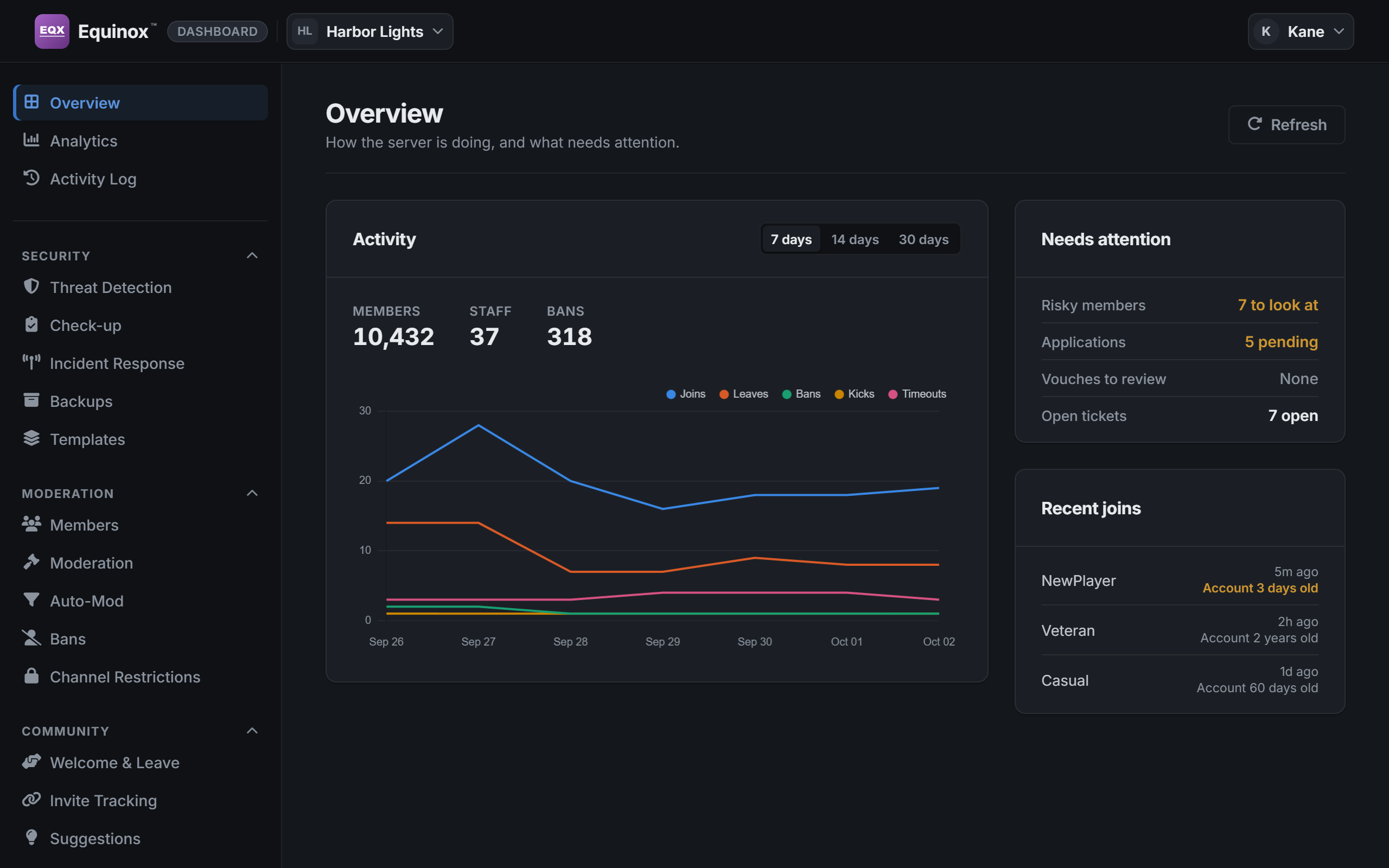
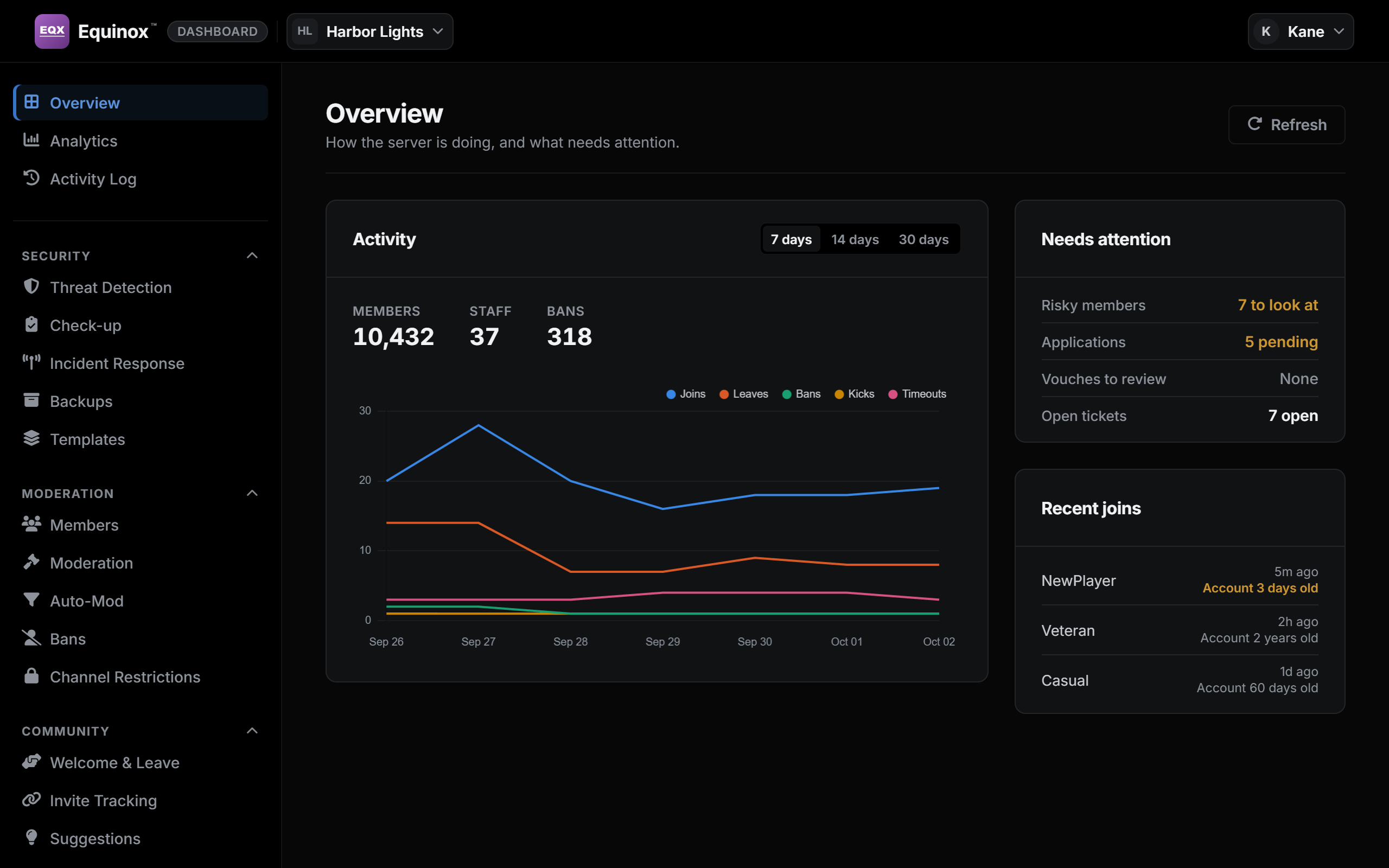
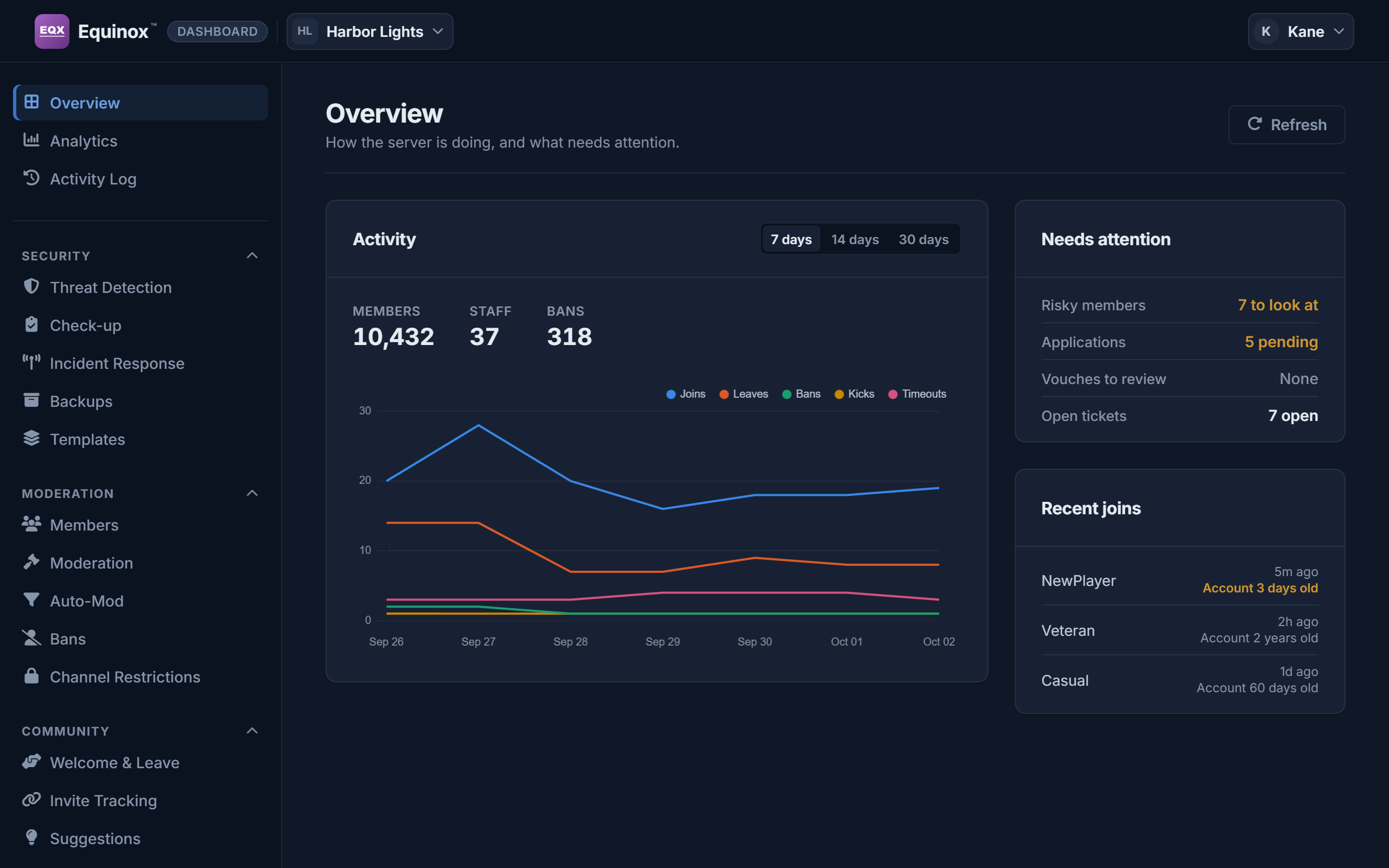
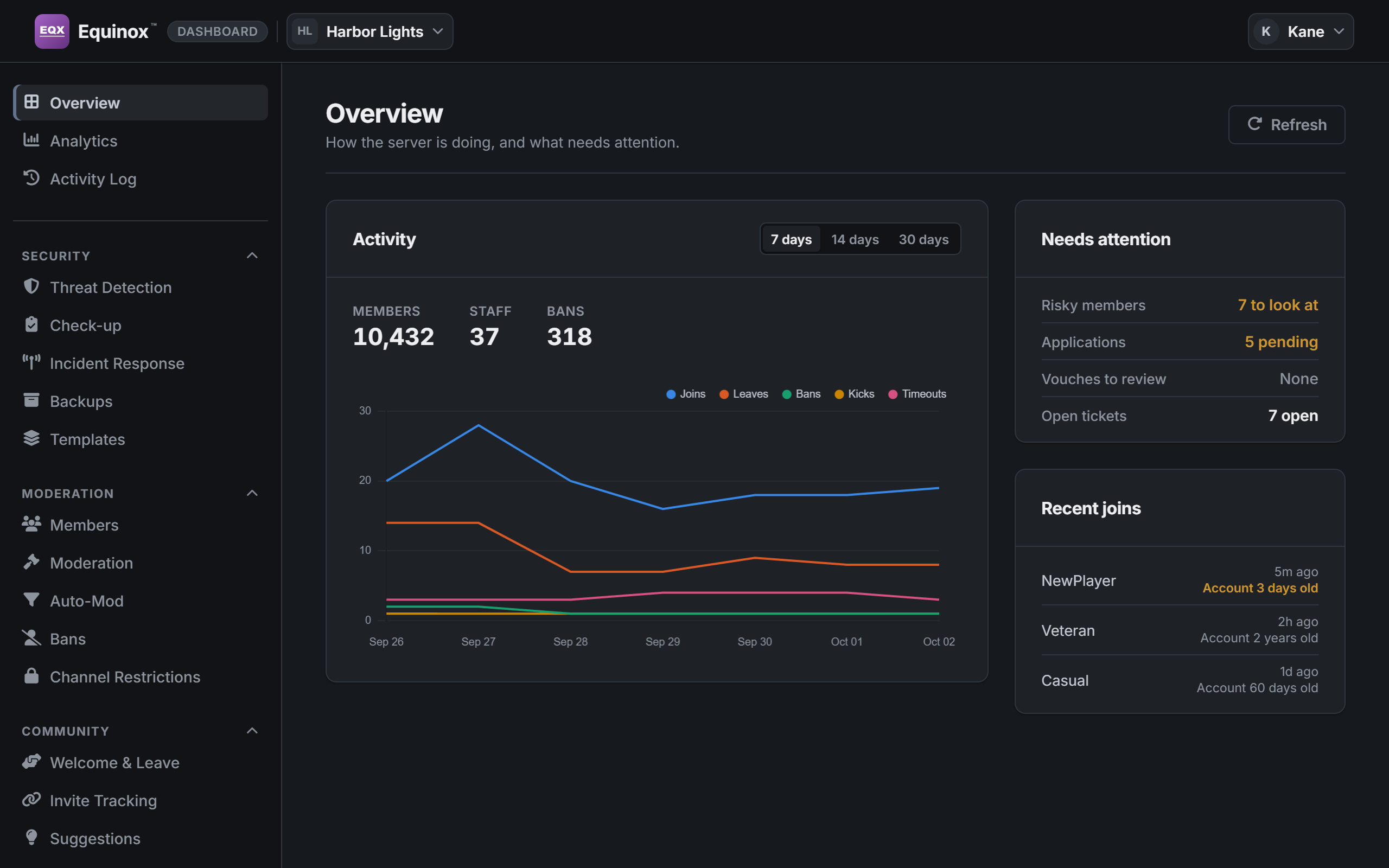
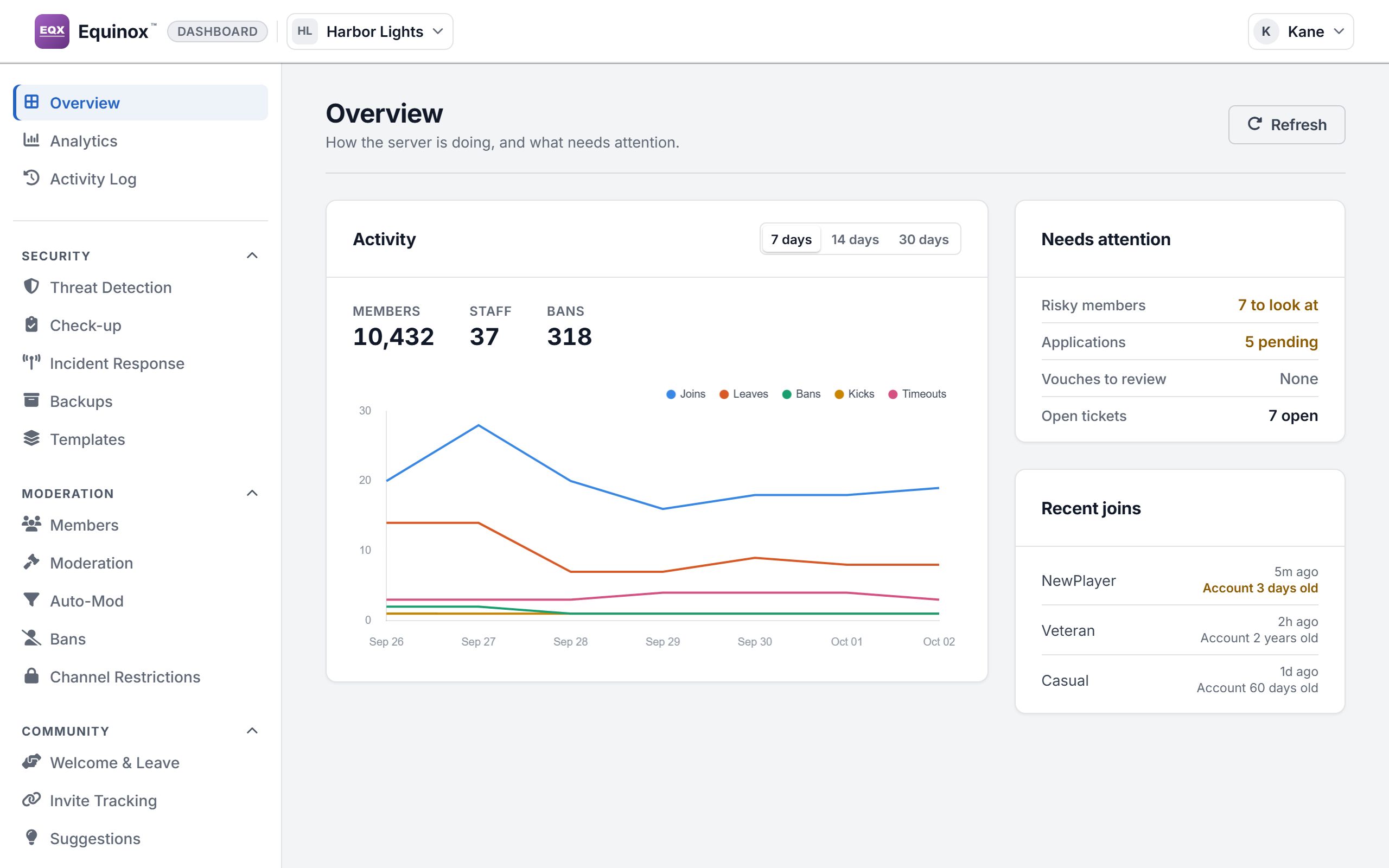
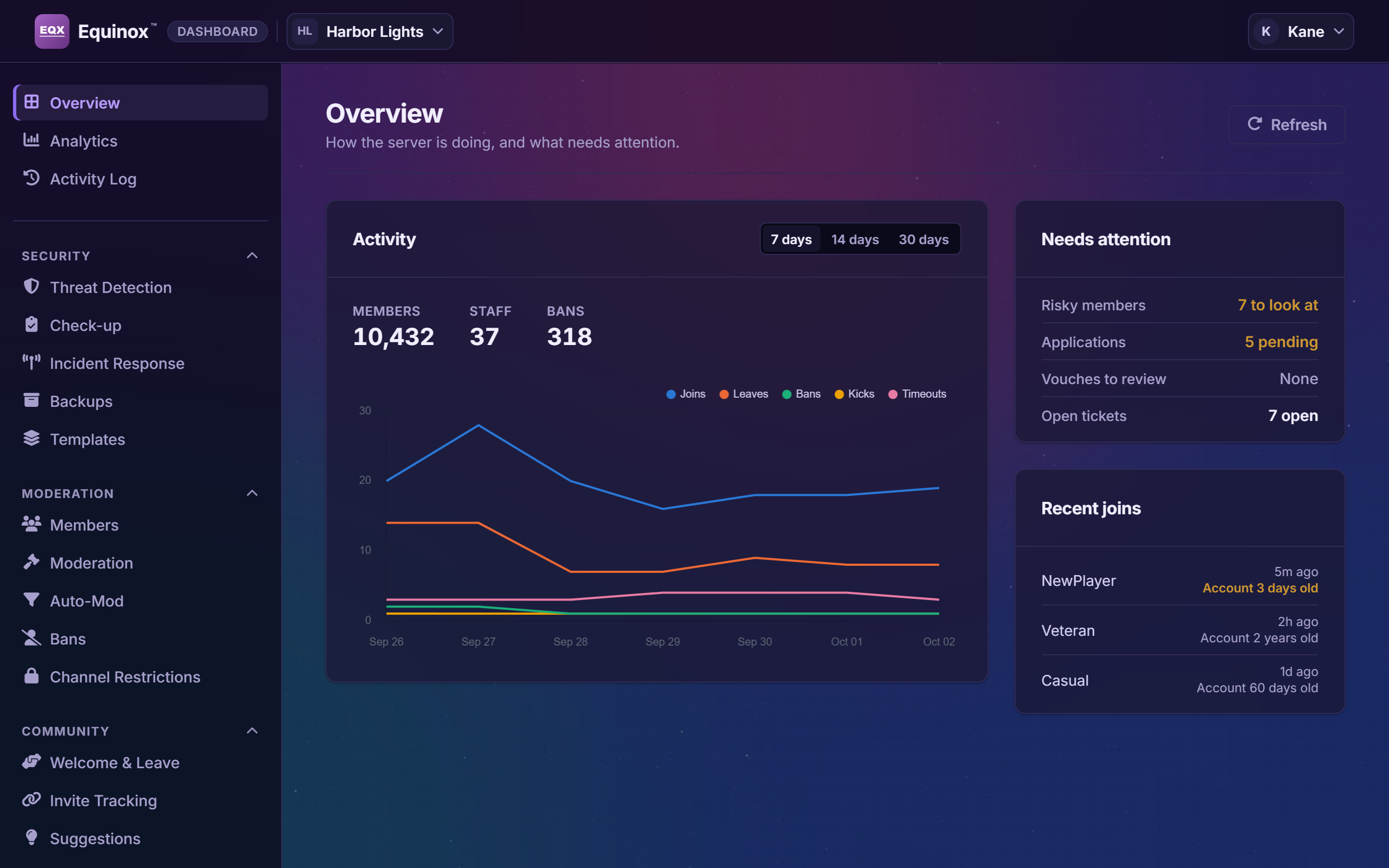
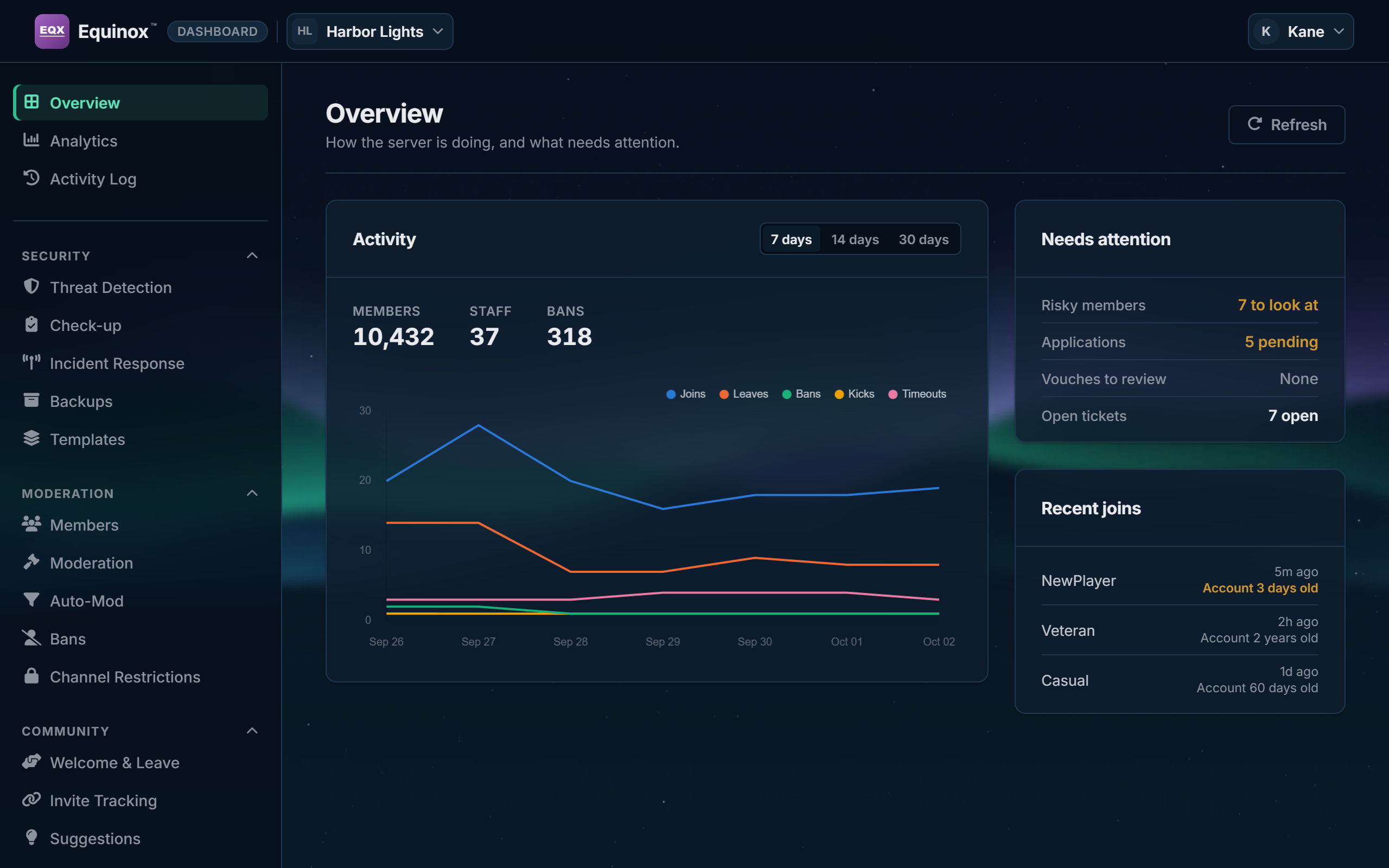
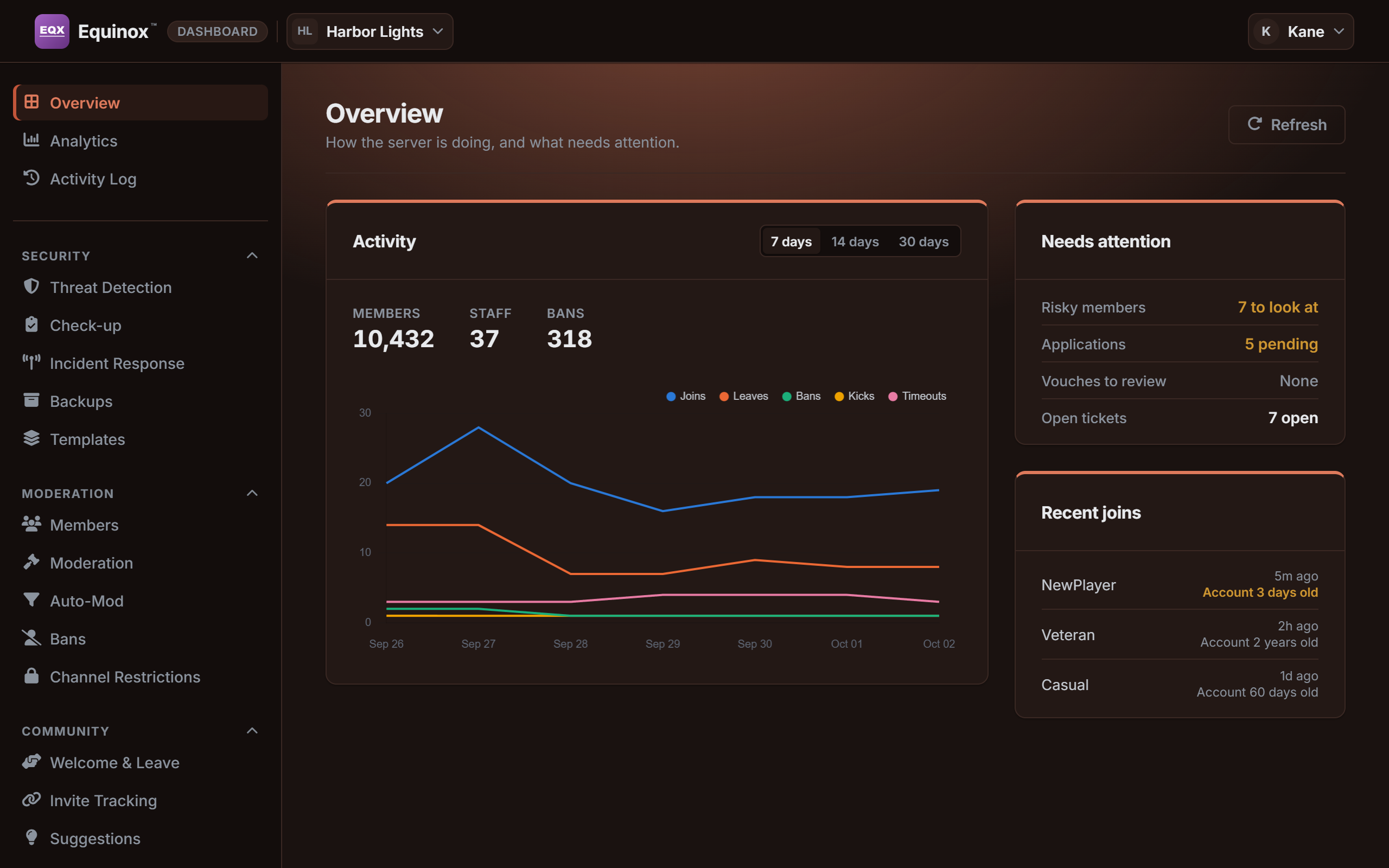
The real dashboard, with sample data. The three themes are examples made for these pictures.
- Yours, wherever you sign in. An accent color, corners, a font, text size and where the menu sits are saved to your account and follow you to every server.
- Twenty animated effects, from snow to warp speed, one that changes with the seasons, or one you make yourself.
- Motion is optional. People who turn animation down, here or on their device, see every theme without it.
- Shared as a code. A theme moves to another server as a code that holds colors and choices and nothing else, so it can’t carry a script or a link.
What it keeps, and who gets to see it
A security bot holds sensitive things. These are the rules it holds itself to.
- Your server’s records stay your server’s. No other server’s staff can see or change them, and what members write is encrypted before it reaches the database.
- One list is shared, on purpose. An account that Equinox itself catches posting malware or a known scam, on a hacked account’s scam spree or in a raid is recognized in every server it protects, and a hacked account is removed from each unless that server’s staff turn this off. Servers see what an account was caught for, never in which server.
- Anyone can see what is kept about them: the
/privacycommand works in any server. What is kept isn’t removed on request, so nobody has their record wiped to get past a check. - When Equinox leaves a server, that server’s data is erased after 30 days.
- AI is the last resort, not the first. It is asked only when the rules can’t decide, and only through services that don’t train on what they are sent.
- One public list says what is kept, for how long and who else receives it.
- It asks for the Administrator permission when you add it. Stopping a raid, undoing a dangerous permission and rebuilding a server after a nuke reach every role and channel.
Put someone on the night shift
Adding Equinox takes a minute. It starts watching the moment it joins.